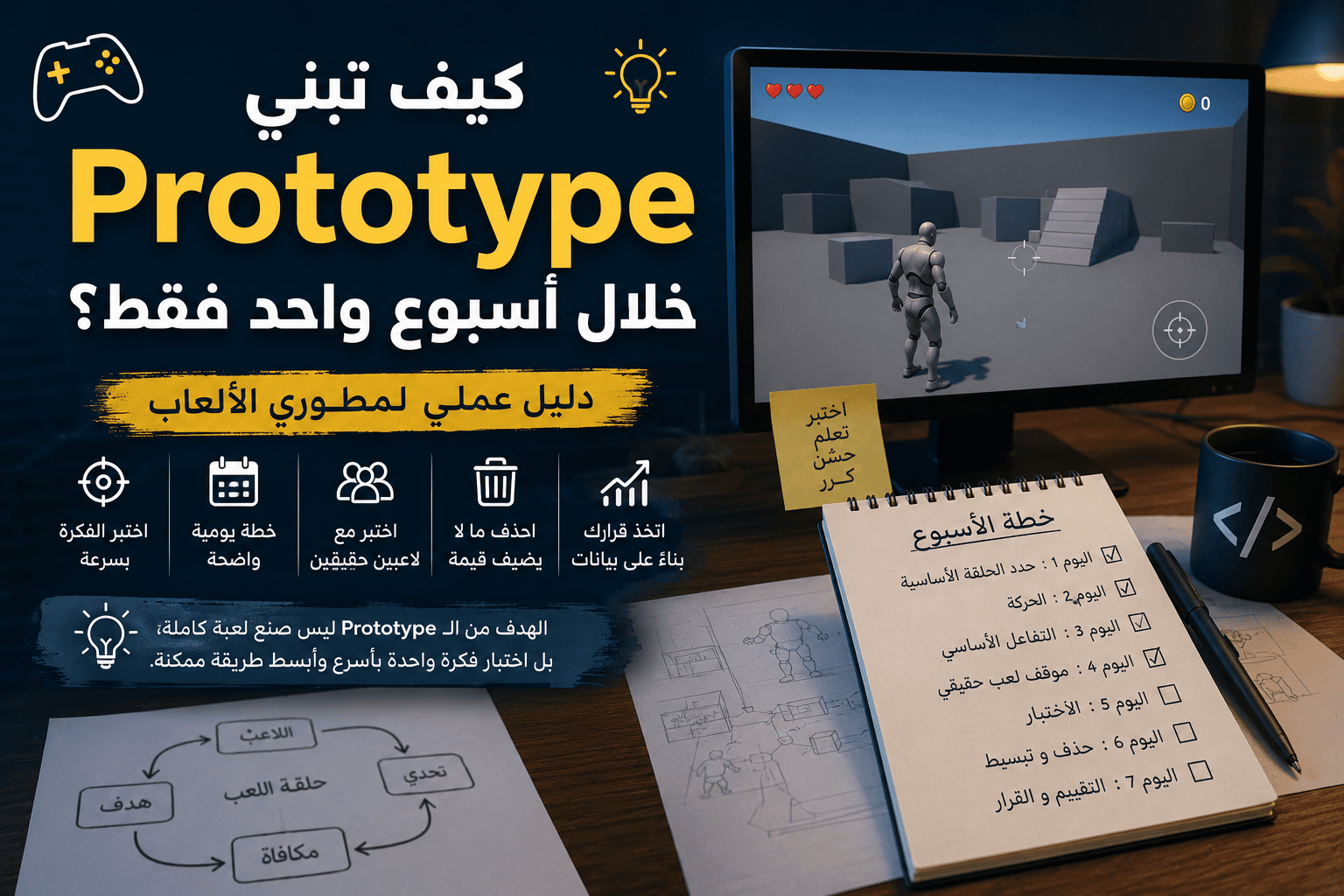

How to build a Prototype in just one week? A Practical Guide for Game Developers
Meta Description
A practical guide for game developers to build a testable Prototype in just one week, with a daily plan, common mistakes, and industry tips.
Keywords
- Prototype Games
- Game Development
- Game Design
- Game Development
- The Gaming Industry
How to build a Prototype in just one week?
There's a question that's frequently asked among freelancers and small team members:
How do I know if my game idea is worth months of development before I actually start?
The problem is that most projects fail not because of poor programming or the quality of the fees, but because they start with an untested hypothesis. The developer spends several months building integrated systems, only to later discover that the core gameplay loop isn't fun at all.
That's why the prototype phase has become one of the most important stages in modern game development.
If you look at many successful games, you'll find that their beginnings were pretty simple prototypes. It didn't have flashy visuals or huge content. It was just an attempt to answer one question:
Is the idea fun or not?
In this article, we'll talk about a practical way to build a Prototype in just one week, without falling into the trap of luxuries or early expansion.
What is Prototype really?
A common mistake is to consider the Prototype as a miniature version of the Ultimate Game.
This is not true.
The prototype is not an incomplete game, but rather a tool to test a certain hypothesis.
The hypothesis may be:
- Is the motion system fun?
- Is fighting a disease?
- Does the player understand the goal easily?
- Does the idea of puzzles work as we imagined?
If the prototype answers the required question, it succeeds in its mission even if it looks very ugly.
Sometimes a prototype is a block moving inside an empty room, yet it provides information more important than a full month of graphic production.
Before you begin: Select the question you want to answer
The biggest reason prototypes fail is to try to test many things at once.
If you're building a co-op shooter, don't try to test:
- Fighting
- Progress System
- Economy
- Story
- Customization
All within one week.
Choose only one item.
For example:
Does shooting and action give a pleasant feel for ten minutes straight?
This question alone is enough to build a complete prototype.
Anything that doesn't help to answer it is considered an unnecessary element.
Prototype Build Plan in 7 Days
Day One: Determining the Core Loop to Play
At the beginning of the week, don't open the engine directly.
Take a piece of paper or document and write:
- What does a player do every minute?
- What is a direct goal?
- What is the challenge?
- What is a bonus?
These elements form the core loop of play.
A simple example:
In the Survivors-like game:
- The player moves
- Enemies are approaching
- The player avoids them and attacks
- Gets an upgrade
- Gets stronger
- Facing greater numbers
This episode is what to test.
If it's not fun, graphics or effects won't save it later.
Day Two: Building Movement Only
Start with the simplest version possible.
If your game is 3D:
- Movement
- Jump (if necessary)
- Camera
If it's two-dimensional:
- Movement
- collision
- Simple Camera
Don't add lists.
Don't add sounds.
Don't add effects.
The goal is to make sure that the control itself is good.
A lot of excellent games start from feeling the action before anything else.
Even popular platformers have gone through long periods where developers would tweak jumping and acceleration before building levels.
Day Three: Adding the Core Interaction
Now add the element that makes the game a game.
If it's a shooter:
- Shooting
If it's a fighting game:
- One attack
If it's a puzzle game:
- Single resolution mechanism
Important Rule:
One feature works better than ten incomplete features.
A common mistake is for the developer to start adding multiple types of weapons and abilities.
In the Prototype stage you don't test the amount of content.
You are testing the same idea.
Day Four: Creating a Real Play Situation
This is where the game starts giving you real answers.
Put the player inside a clear scenario.
For example:
- A simple wave of enemies
- A little puzzle
- Very short level
The goal is not to build content.
The goal is to create a situation that forces the player to use the mechanics you have developed.
At this point, you start to discover problems that you didn't expect.
You may find that movement is slow.
Or that the fighting is boring.
Or the players don't understand the goal.
And that's exactly the information you're looking for.
Day Five: Testing and then Testing
Now comes the part that many developers overlook.
Give the Prototype to someone else.
Not for a friend who has known the project since its inception.
It's for someone who sees it for the first time.
Just watch.
Don't explain.
It doesn't help.
Don't justify.
If the player doesn't understand what to do, that's a design problem, not a player problem.
In many studios, these notes are collected from the earliest days because the cost of fixing design errors later is much higher.
Day Six: Delete the Bad Things
Most developers spend this day adding new features.
But often the best is deletion.
If a particular feature doesn't add anything:
Delete it.
If a system distracts the player:
Delete it.
If the basic gameplay mechanic doesn't benefit from a specific item:
Get rid of him.
Some of the most important lessons that developers learn over time:
Removing a bad feature is better than improving a feature that the game doesn't need in the first place.
Day Seven: Honestly Evaluating the Idea
After a full week, ask yourself:
- Did you enjoy playing?
- Did the testers enjoy?
- Does anyone want to try again?
- Did interesting moments come naturally up?
If yes, then the idea is worth the investment.
If the answer is no, that's also a success.
Because you discovered the problem in a week instead of six months.
Ready-made tools: when to use them and when to avoid them?
One of the best ways to speed up the construction of a Prototype is to rely on ready-made tools.
But its use must be clever.
Use ready-made tools when:
- You need to prove an idea quickly.
- You want to test a gaming system.
- It works within a short period of time.
- It doesn't matter what the final look is.
Examples:
- Starter Assets
- Ready-made Motion Packs
- Free Forms
- Provisional Votes
Do not use when:
- You start building the final production version.
- You need a fully customized system.
- Modifying a tool becomes harder than building it from scratch.
There is an important point that many overlook:
The Prototype is not a place to prove your programming skills.
It's a place to test ideas in the fastest way possible.
Common Mistakes That Destroy Prototype
Focus on fees early
A lot of developers spend days choosing materials and effects.
Then they discover that the game itself is not fun.
If the idea is good it will still be good even with virtual blocks and colors.
Trying to build a full game
The goal is not to build a game.
The goal is to build a small experiment that tests a single idea.
The smaller the model, the clearer its results.
Ignore testers' notes
Your idea is easy to defend.
But testing is there to detect problems, not to confirm that you're right.
If multiple players repeat the same observation, there is often a real problem.
Adding content instead of optimizing the core episode
When the core episode isn't fun, the developer tends to add more content.
More weapons.
More monsters.
More stages.
But the original problem remains.
The solution always starts with improving the foundation.
Practical tips from the reality of development
While building prototypes, there are a few rules that have been proven to be effective time and time again:
First, set a timer for each task. When you know you only have a week, you automatically start making better decisions.
Second, make everything temporary. Names, graphics, sounds, and even code in some cases.
Third, don't care about code quality as you do on production projects. The important thing is that the model is quickly testable.
Fourth, document what you have learned daily. Sometimes the feedback you collect is more important than the model itself.
Finally, don't fall in love with the idea before testing it.
A professional developer isn't looking to prove that their idea is great, but rather to discover if it's worth continuing at all.
Conclusion
Building a prototype in one week is not as much a technical challenge as it is a challenge in making decisions.
Developers who succeed at this stage aren't the fastest to code or the best at graphics, but rather the most capable of focusing on what needs to be tested and ignoring everything else.
If you come out a week later with a clear answer to one important question related to your game, you've achieved the goal entirely.
If you spend the week building lists, graphics, and effects without testing the essence of the game, you'll likely put off figuring out the real problems until it's more expensive to fix.
Start small, test early, and don't be afraid to get rid of ideas that don't work. This is one of the most important differences between a completed project and a project that remains just an idea on paper.